
IS YOUR COMPUTER SLOW? RUN LIKE NEW
If they are not maintained, computers lose performance over time. Avast Cleanup Premium can help significantly improve the performance of your computer.
Backing up and restoring customized settings in Avast Antivirus
Windows
Avast Antivirus allows you to back up your customized settings and restore them if necessary, for example, if you reinstall an operating system or upgrade your PC.
Back up customized settings
- Open Avast Antivirus and go to
☰Menu ▸ Settings.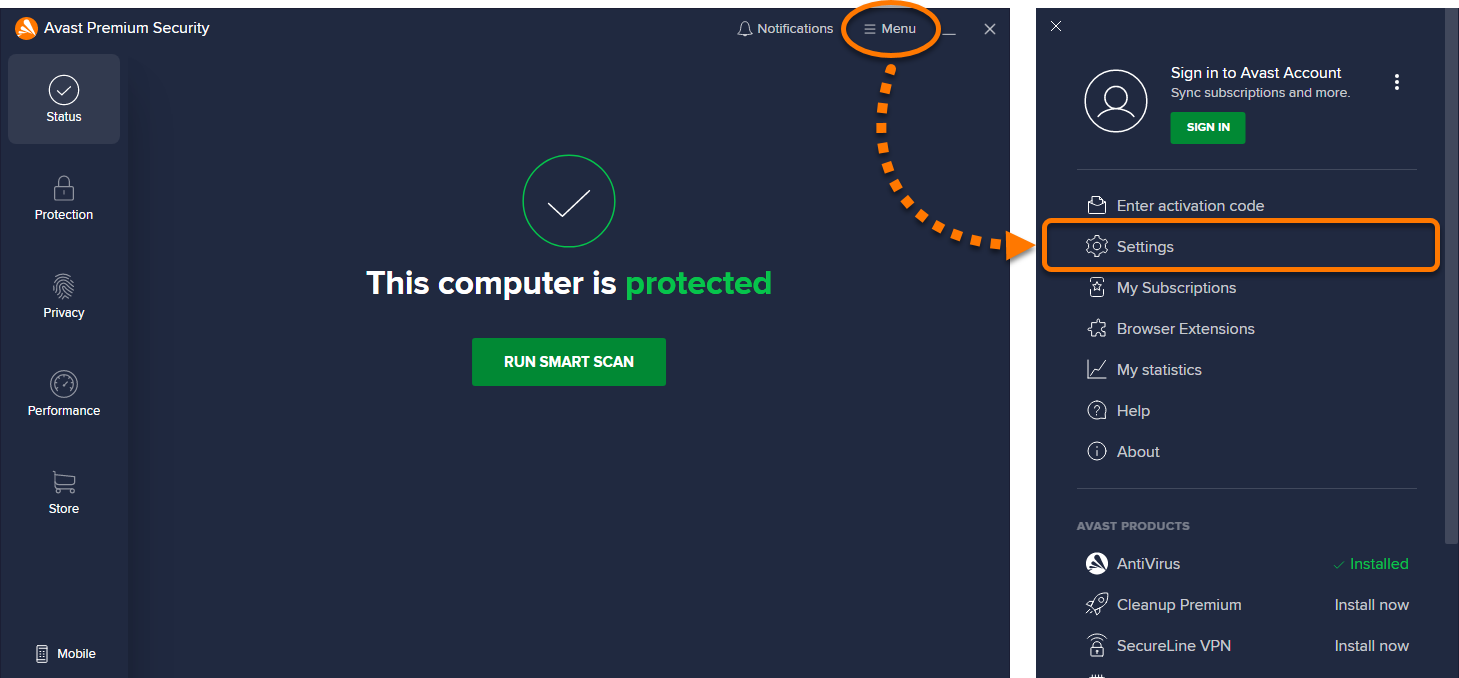
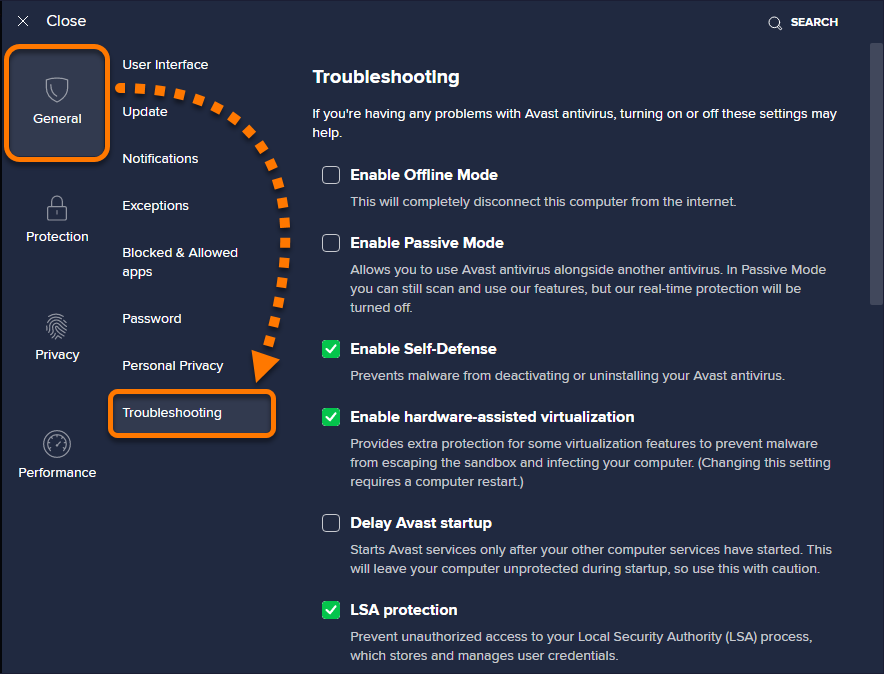
- Select General ▸ Troubleshooting.
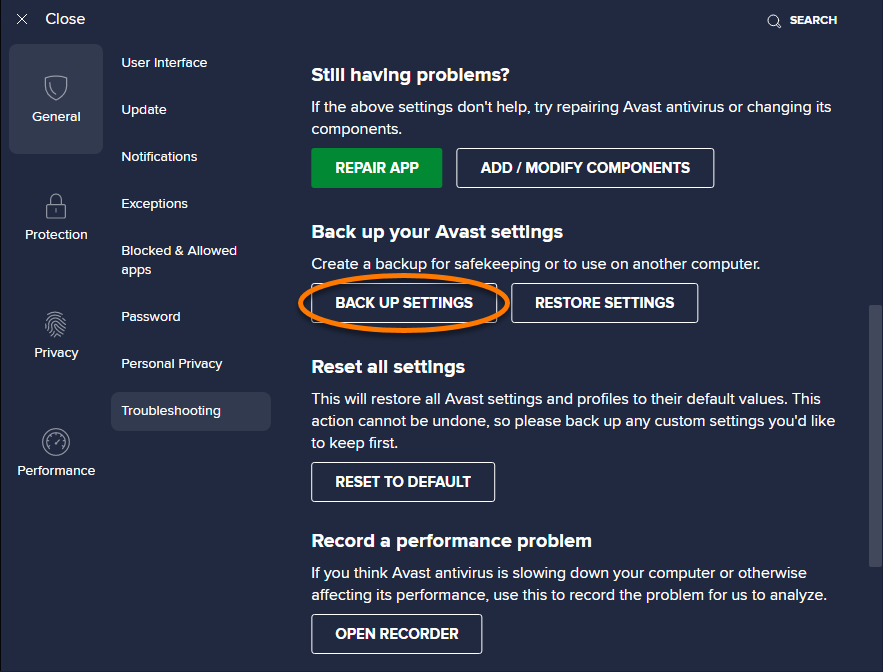
- Scroll down and click Back up settings.
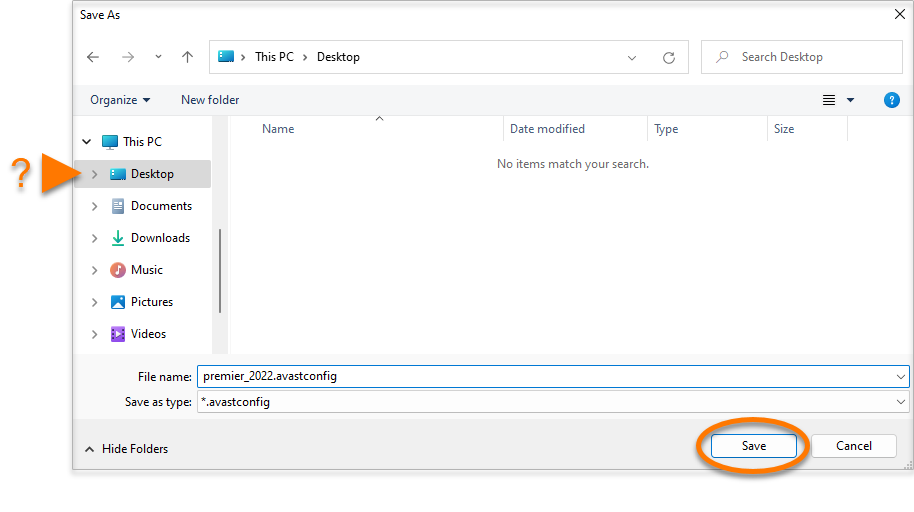
- Select a location where the backup file will be saved, then click Save.
- If prompted for permission by the User Account Control dialog, click Yes.
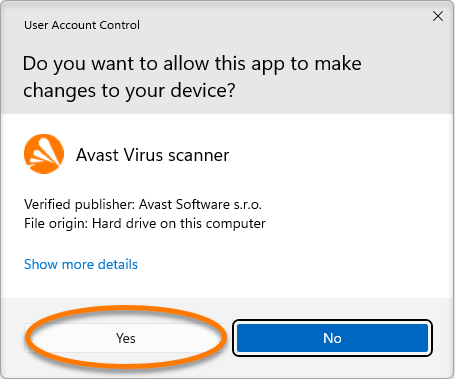
- Click OK when the Success! dialog indicates that you have successfully exported your customized settings.

Your customized settings are now stored in a backup file on your PC.
Restore customized settings
- Open Avast Antivirus and go to
☰Menu ▸ Settings. - Select General ▸ Troubleshooting.
- Scroll down and click Restore settings.
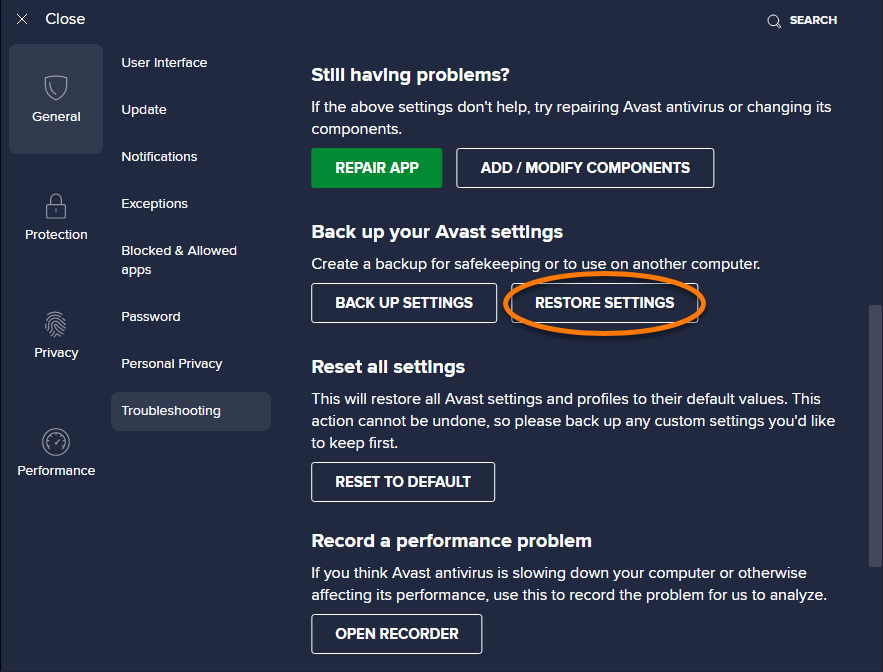
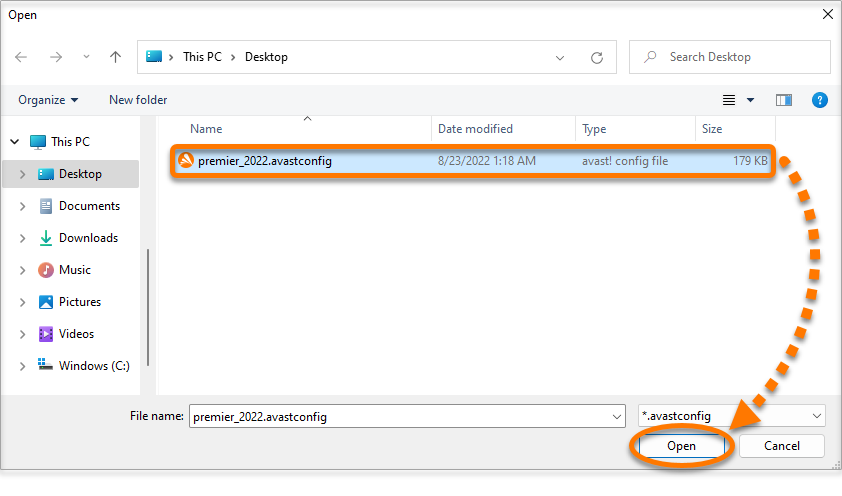
- Select the previously saved backup file that you want to restore, then click Open.
- If prompted for permission by the User Account Control dialog, click Yes.
- Click Restart now to complete the restoration of your settings.

Your customized settings are now restored.
DocID: backup-antivirus-settingsLast modified: 09/03/2026
Was this article helpful?

Keep your online identity private!
Browse like no one’s watching with Avast anti-tracking software.
Need more help?
Contact us
Avast account
Visit our forums
Visit academy