
IS YOUR COMPUTER SLOW? RUN LIKE NEW
If they are not maintained, computers lose performance over time. Avast Cleanup Premium can help significantly improve the performance of your computer.
Allowing Avast Software extensions on macOS 10.13 and later
Mac
macOS versions 10.13 and later require user approval before loading new, third-party kernel extensions. Avast One, Avast Security, and Avast Premium Security use kernel extensions for the real-time protection features. To ensure that your Avast product can fully protect your system, you need to manually allow Avast Software extensions.
Allow Avast Software extensions
After installing or updating Avast One, Avast Security, or Avast Premium Security, you may see the status message This Mac is not fully protected. This is because the Core Shields are disabled due to the Avast Software extensions being blocked by your macOS. Follow the gif or steps below to allow Avast Software extensions:

- Click the
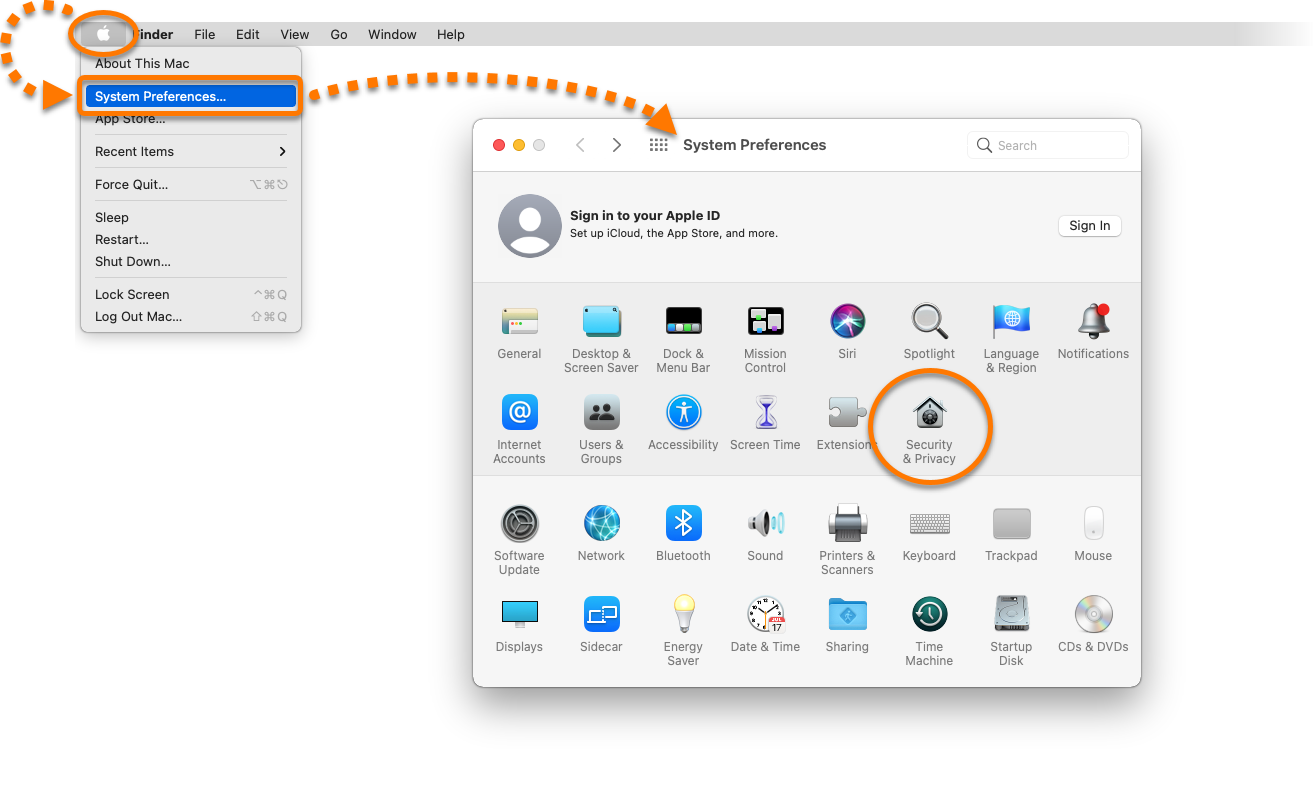
 Apple icon in the menu bar and select System Preferences. Then double-click Security & Privacy.
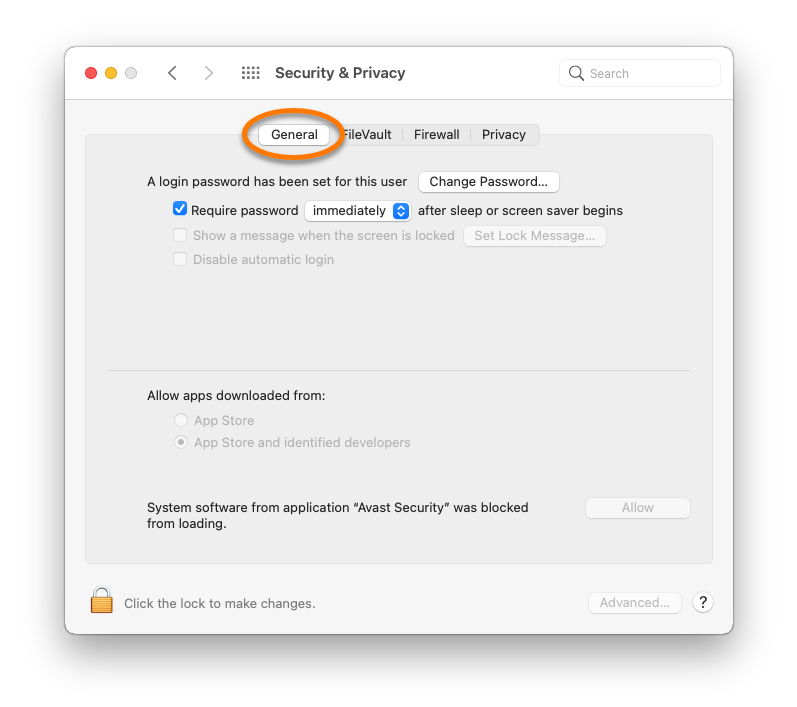
- Ensure the General tab is selected.
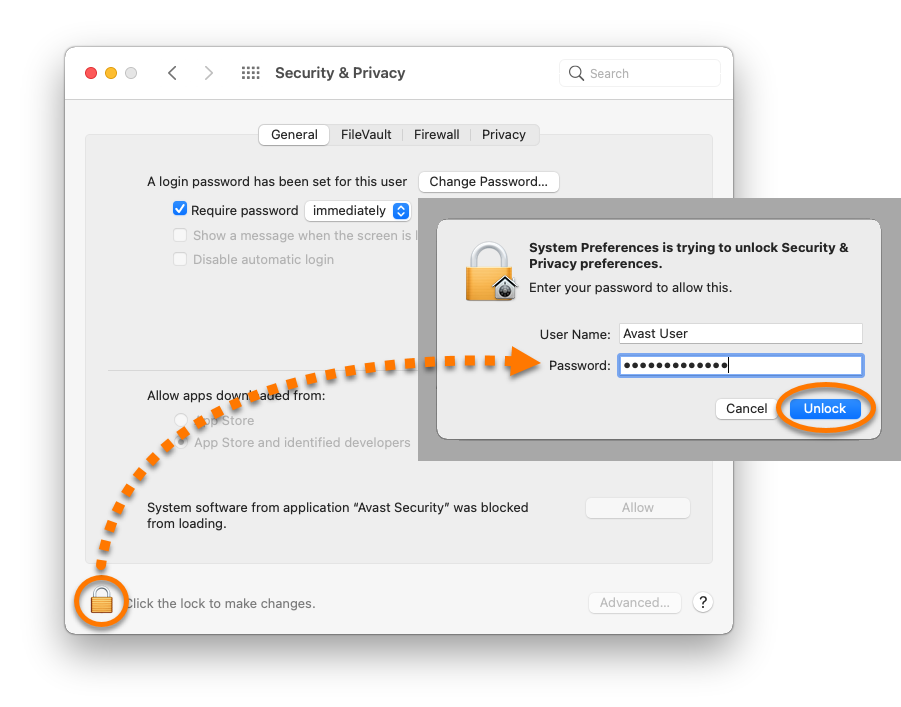
- If your settings are locked, click the lock icon, then enter the password that you use when you start your Mac, and click Unlock.
- Click Allow.
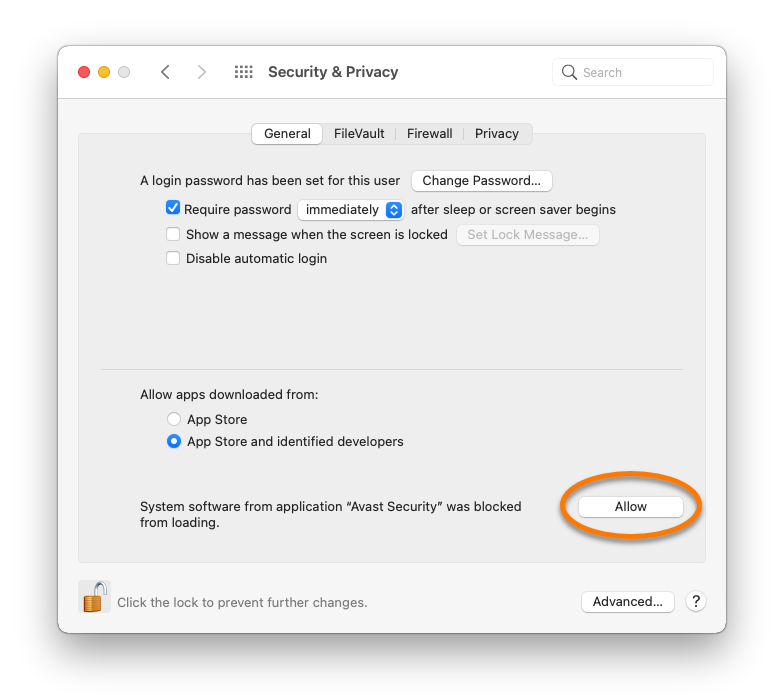
Avast Software extensions are now allowed. You can close the Security & Privacy preferences window.
Troubleshooting
If the Allow button does not work, refer to the following video for further instructions on how to allow Avast Software extensions:
Was this article helpful?

Keep your online identity private!
Browse like no one’s watching with Avast anti-tracking software.